Help / Your cedhstat page
Your cedhstat page
Sign in to get a personal page on cedhstat.com. Claim your TopDeck tournament results, import decklists from Moxfield or Archidekt, and watch how those lists change over time. Tap any section to expand it.
1Signing in (and signing up)
+
Your page lives at cedhstat.com/me. Until you sign in, it shows a single button. cedhstat does not keep its own passwords; it signs you in with your cedh.events account, the same login used across the cEDH tournament ecosystem.

/me as soon as it is done.2Claiming your TopDeck player profile
+
Claiming links your TopDeck tournament history to your account, so your results and stats show up on your page. It is a two-step, ownership-proving process; nobody can claim a player they do not control.
1. Start the claim
Enter your TopDeck player ID, or paste the URL of your cedhstat player page, and choose Start claim.

2. Add the marker to your TopDeck name, then verify
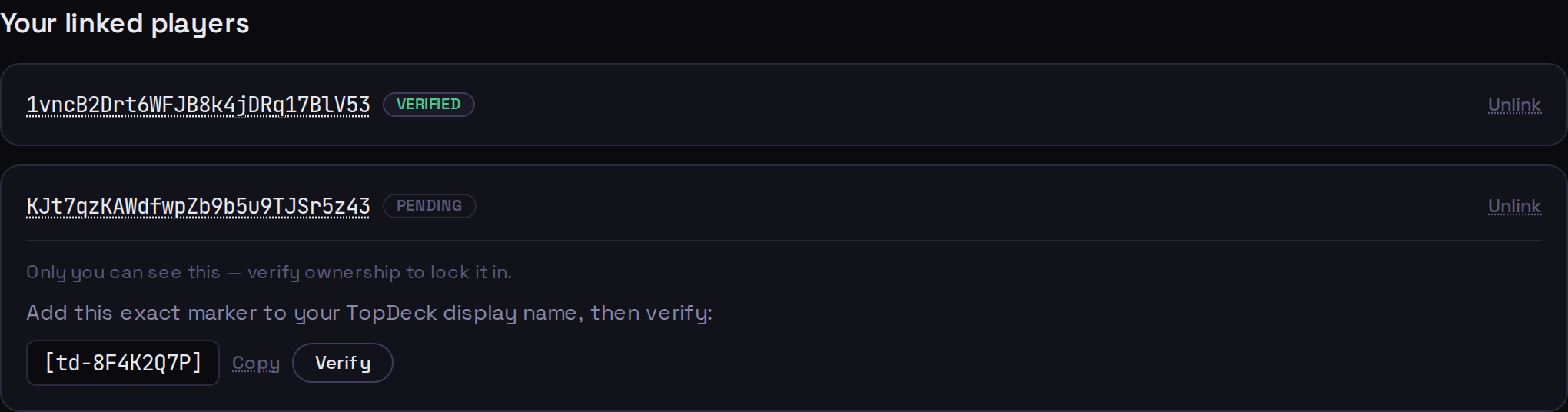
cedhstat gives you a short marker like [td-8F4K2Q7P]. Add it to your TopDeck display name, then press Verify. Because only the real account owner can edit that name, this proves the player is yours. You can remove the marker again once you are verified.

3. You are linked
A verified player shows a Verified badge; a claim you have not finished shows Pending. You can link more than one player, and unlink any of them at any time.
3Importing a decklist
+
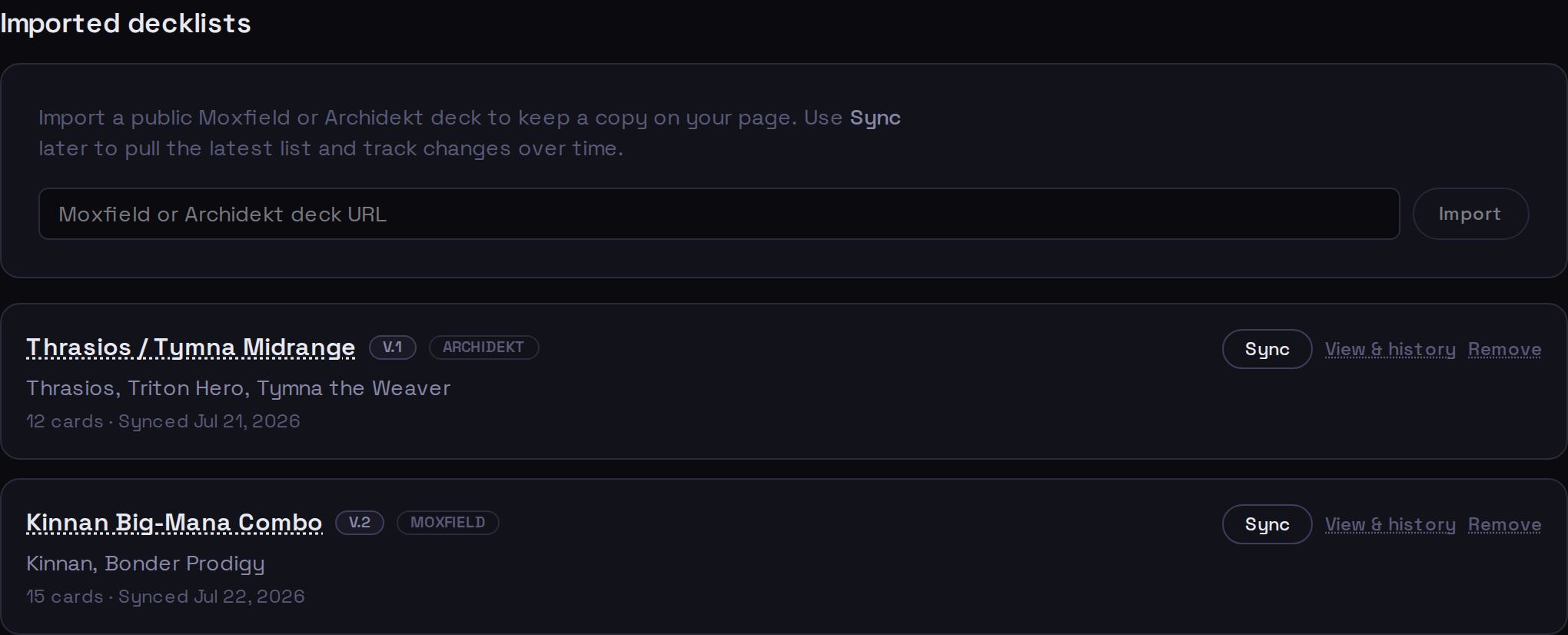
You can keep copies of your decks on your page by importing them from Moxfield or Archidekt. Paste a public deck URL and choose Import. cedhstat pulls the list and stores a snapshot on your account.
4Viewing a deck
+
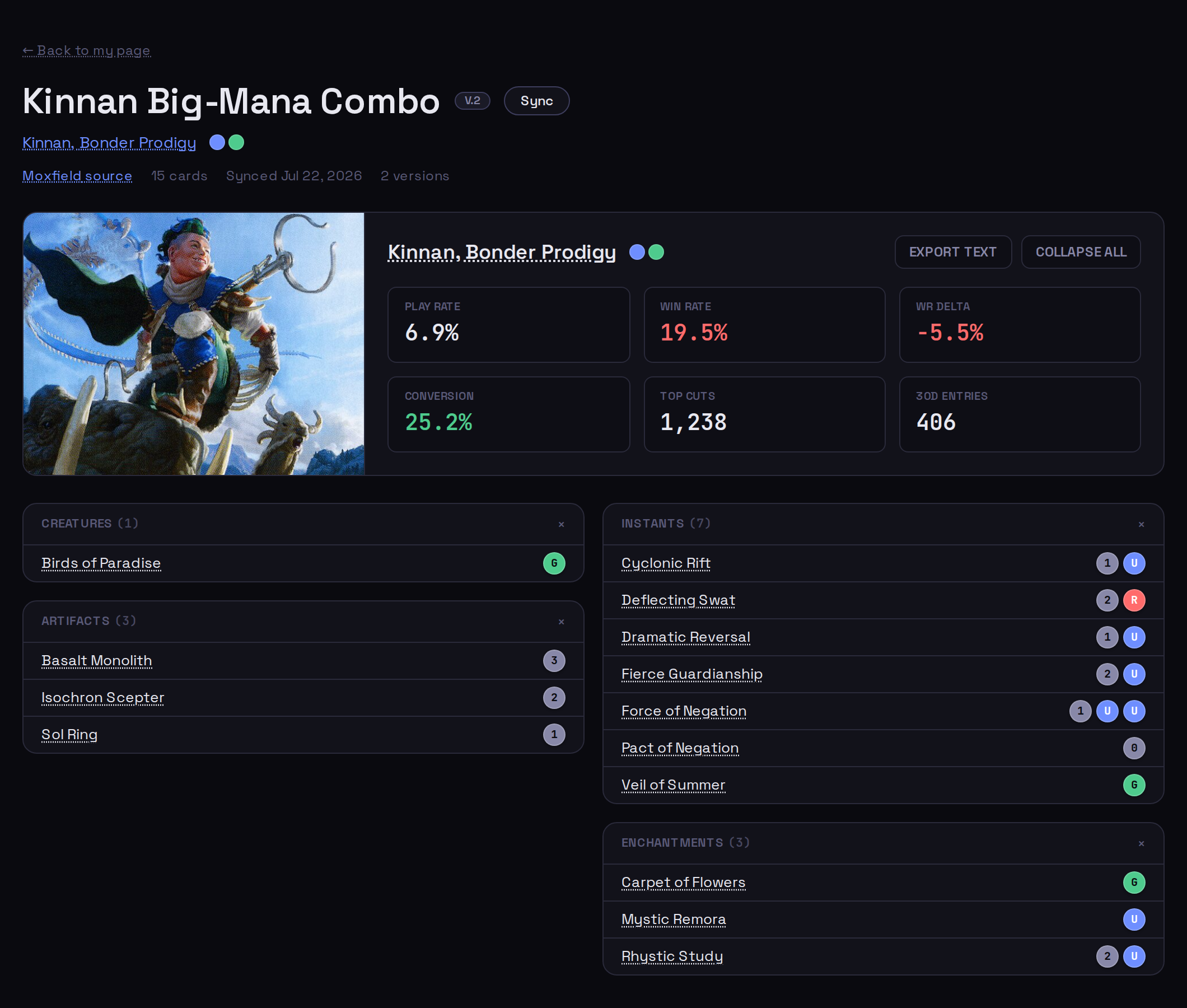
Open any imported deck to see its current list, broken out by card type, alongside the commander's live cEDH metagame stats from the rest of the site. The header shows the deck's current version (V.2 here), its source, card count, and when it last synced.
5How versioning works
+
Every time you Sync a deck and its cards have actually changed, cedhstat saves a new, permanent version: a frozen snapshot of the list at that moment. Your first import is V.1; each meaningful change adds V.2, V.3, and so on. Older versions are never overwritten, so you have a complete history of how the deck evolved.

Each entry summarizes the change as +added −removed ~changed. Expand one to see exactly which cards moved:
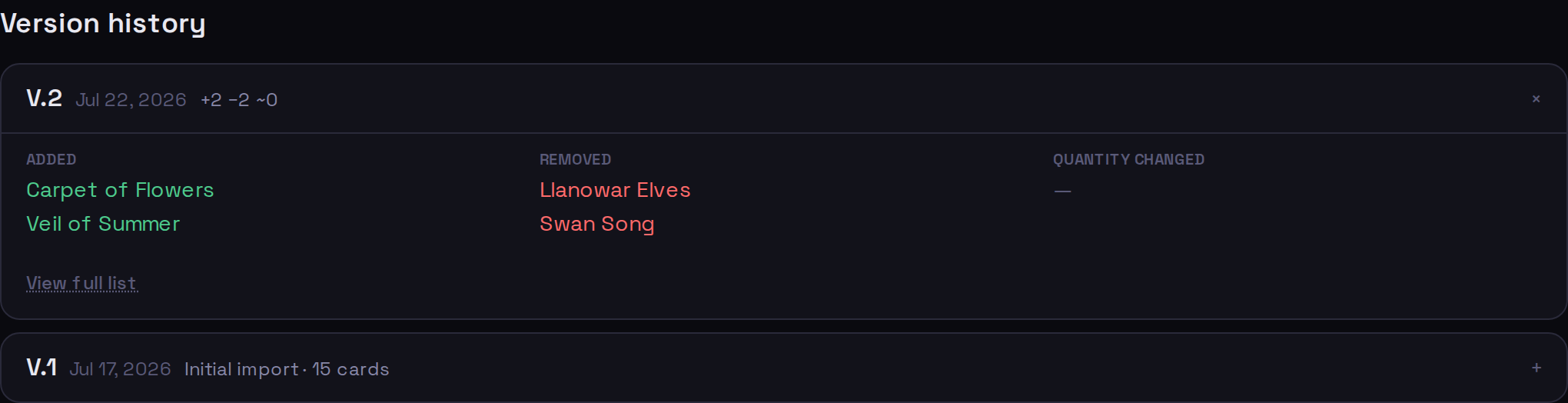
- ● Added: cards new in this version
- ● Removed: cards dropped since the last version
- ● Quantity changed: same card, different count
What counts as a change
A new version is minted only when the cards change: a different card, or a different quantity of one. cedhstat compares an exact fingerprint of the list, so:
| Renaming the deck on Moxfield/Archidekt | No new version (the name updates, the list did not change) |
| Syncing with no card changes | No new version; you see a no-changes note |
| Adding, cutting, or re-quantifying a card | New version, with a diff |
| Deleting a deck, then re-importing it later | The deck comes back with its full version history intact |
6Limits & privacy
+
A few guardrails keep things tidy. They are generous; most players never touch them.
| Imported decks kept live at once | 20 |
| Total decks over your account's lifetime | 100 |
| Saved versions per deck | 200 |
| Sources supported | Moxfield, Archidekt (public decks) |